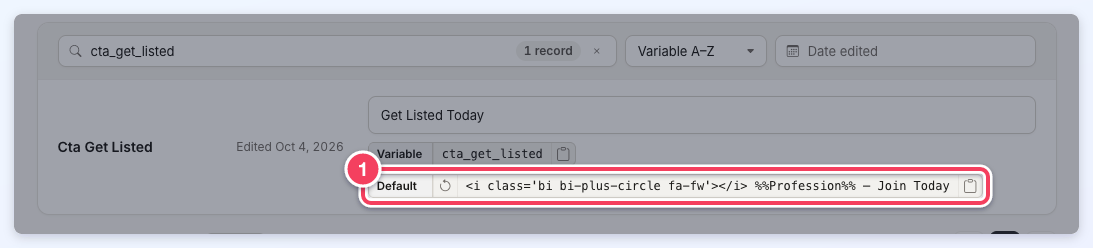
Overview
Customizing the text used throughout a site is useful, but it can become a long process when the same text must be changed repeatedly across many different pages of the site.
For example, the word "company" is used on many pages throughout the site, but some website owners may prefer a different word, such as "startup," depending on the site.
The good news is that a single update can change the same word everywhere it appears across the site. This feature is called Text Labels.
>> How To Locate Text Labels On The Front End Of A Website
Using Text Labels
Settings » Text Labels lists every Text Label on the site in one list. Each row shows the label's name, a field holding the text the site currently displays, the label's Variable and its Default text. Above the list are the search box (1), the sort menu (2) and the Date edited filter (3):
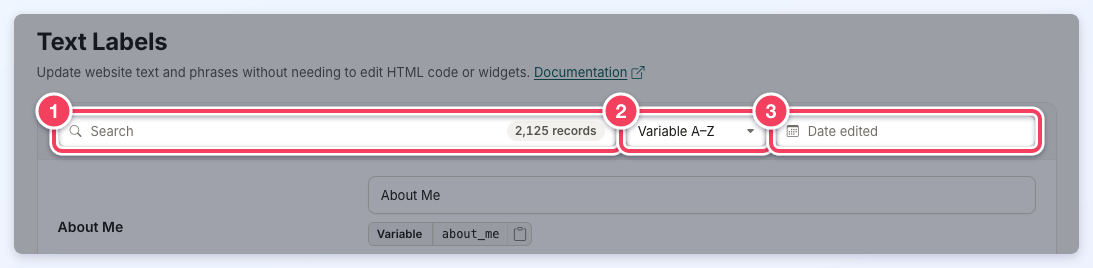
The following steps outline how to find and update a Text Label:
- Navigate to Settings » Text Labels.
- Type the text to be replaced into the Search box. The list filters as the text is typed, and the number of matching records shows inside the box. Search matches the label's name, its current text, its variable name and its default text. Capital letters and accents are ignored, and a space also matches an underscore, so "get listed" finds the cta_get_listed variable.
- Click the label's text field and change the text. An Unsaved changes bar appears at the top of the page as soon as the text changes.
- Click Save in the Unsaved changes bar. Several labels can be changed before saving; Save updates all of them, and Discard puts every changed field back to its saved text.
While changes are unsaved, changing the sort, the Date edited filter, the number of rows or the page first asks whether to discard them. A new search typed over unsaved changes waits, with the message "Save or discard your changes to see the search results," until the changes are saved or discarded.
Sorting and Last Edited Date
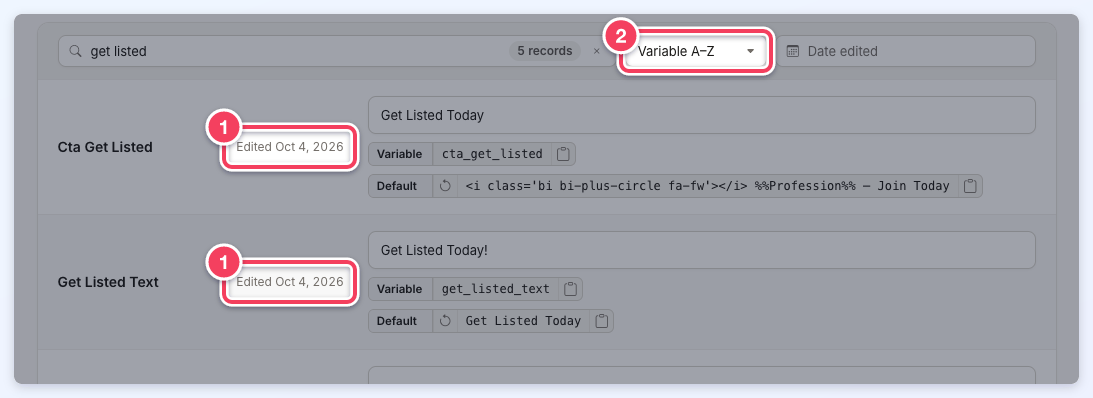
A label that the site has changed from its default text shows the date it was last edited, such as Edited Oct 4, 2026 (1). The sort menu (2) orders the list by Variable A–Z, Variable Z–A, Text A–Z, Text Z–A or Recently Edited.
Sorting by Recently Edited is a quick way to identify which Text Labels have changed and when, which is useful when reviewing a recent wording update on a site.
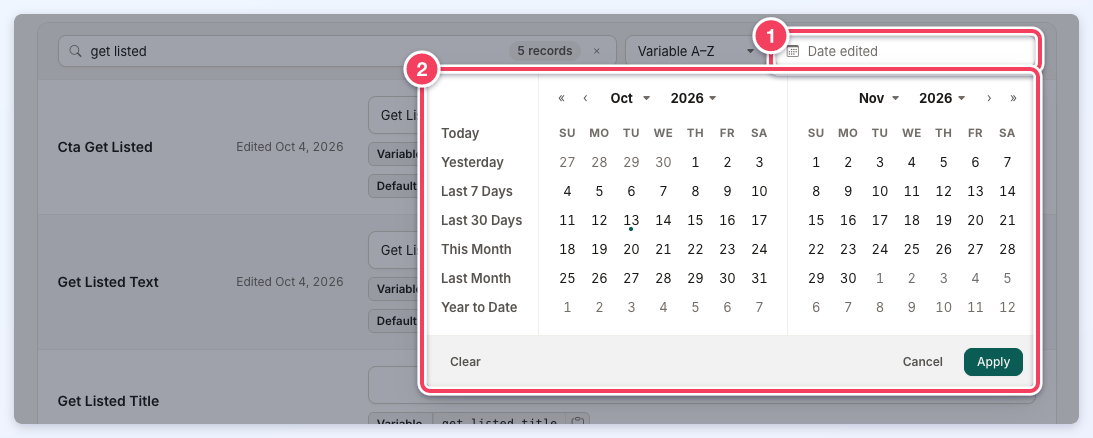
Date Edited Filter
To show only the labels edited during a period, click the Date edited field (1). In the calendar (2), choose a preset such as Last 7 Days or This Month, or click a start date and an end date, then click Apply. Clear removes the date range.
Paging
The bottom of the list shows which records are on screen and how many match, with a Rows per page menu (10, 25, 50 or 100) (1). The page buttons (2) move between pages.

Text Label Pluralization
By default, if a Text Label is surrounded by two percentage signs, the system pluralizes the value by adding an "s." In the example below, %%recommendation%% displays the plural of the recommendation label:
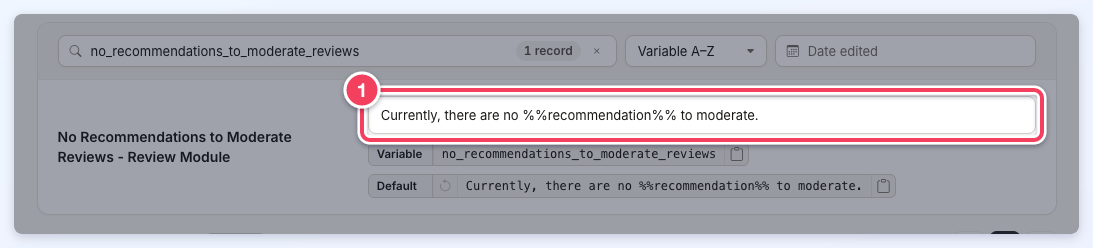
More information regarding how percentage signs work can be found in the article below:
Using Text Labels with Percentage Shortcode
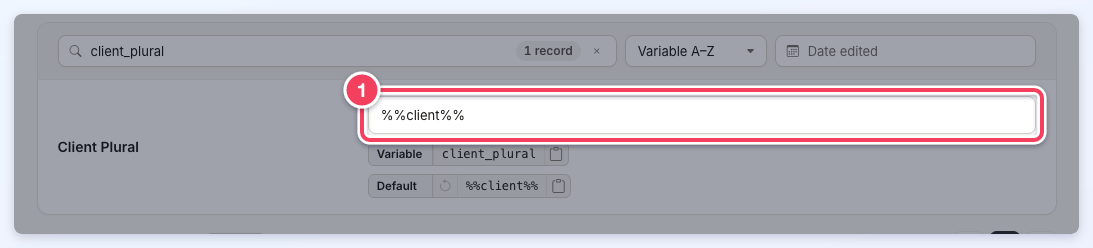
Some Text Labels have a Plural Version label; when that is the case, the system uses that label's value instead.
Example: By default, the system adds an "s" to the end of the word "client" when using the plural version of the Client label:
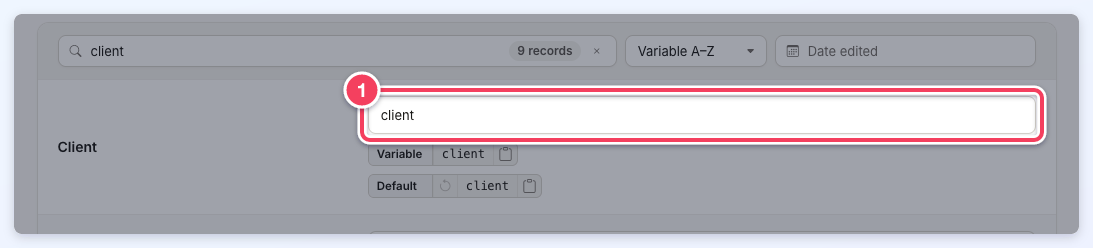
If a different value is needed instead of "Clients," search for the Client Plural label (variable client_plural) and replace its text; the system will use this value instead:
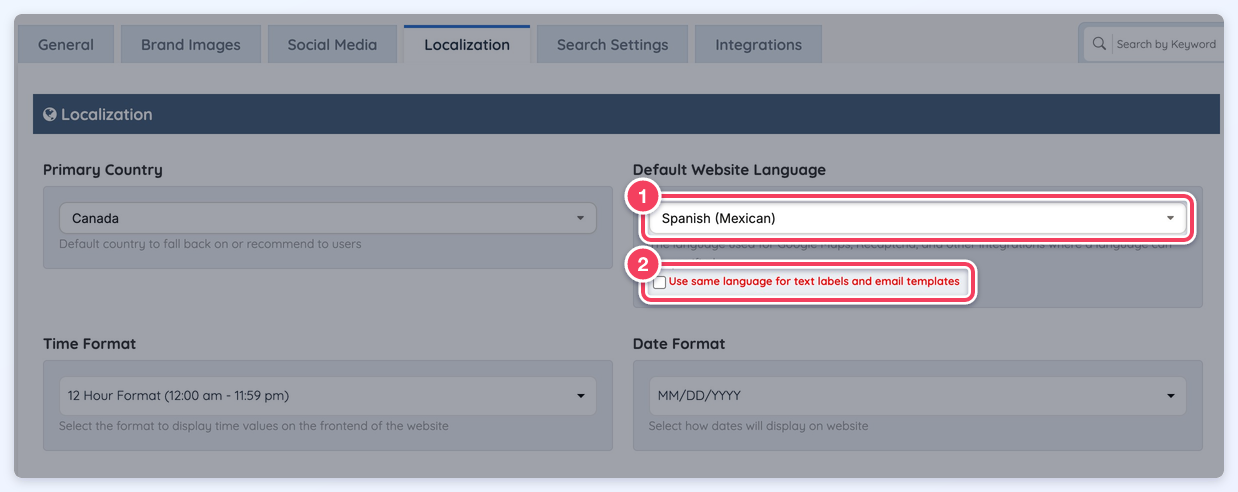
Note: When the Default Website Language (1) in Settings » General Settings, on the Localization tab, is set to a language other than English and the "Use same language for text labels and email templates" option (2) is enabled, the system automatically disables auto-pluralization to ensure accurate text display.
Additional Functionality
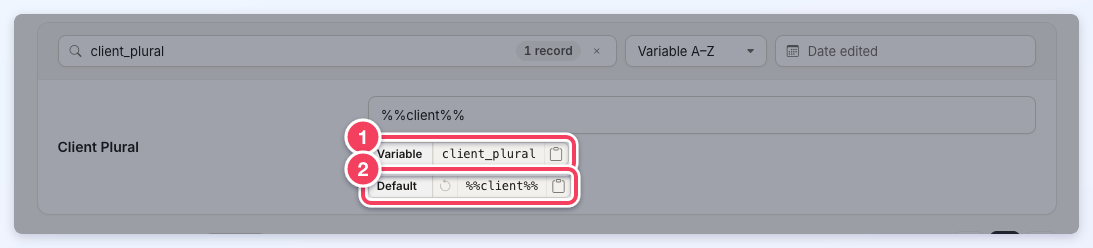
Each Text Label includes buttons to copy its variable name or default text and to restore its default value.
Copy Text Labels
The clipboard button at the end of the Variable chip (1) copies the label's variable name, and the one at the end of the Default chip (2) copies its default text:
Reset Text Labels
A Text Label can be restored to its default value with the circular-arrow Restore Default Value button at the start of the Default chip (1). The button is available only when the label's text differs from the default. Clicking it fills the default text into the field as an unsaved change: click Save in the Unsaved changes bar to apply it, or Discard (or Ctrl+Z in the field) to put the previous text back.