
Exporting a widget provides direct access to its underlying code, including the HTML, CSS, and JavaScript. This is useful for reusing the widget's code outside of the platform or for development purposes.
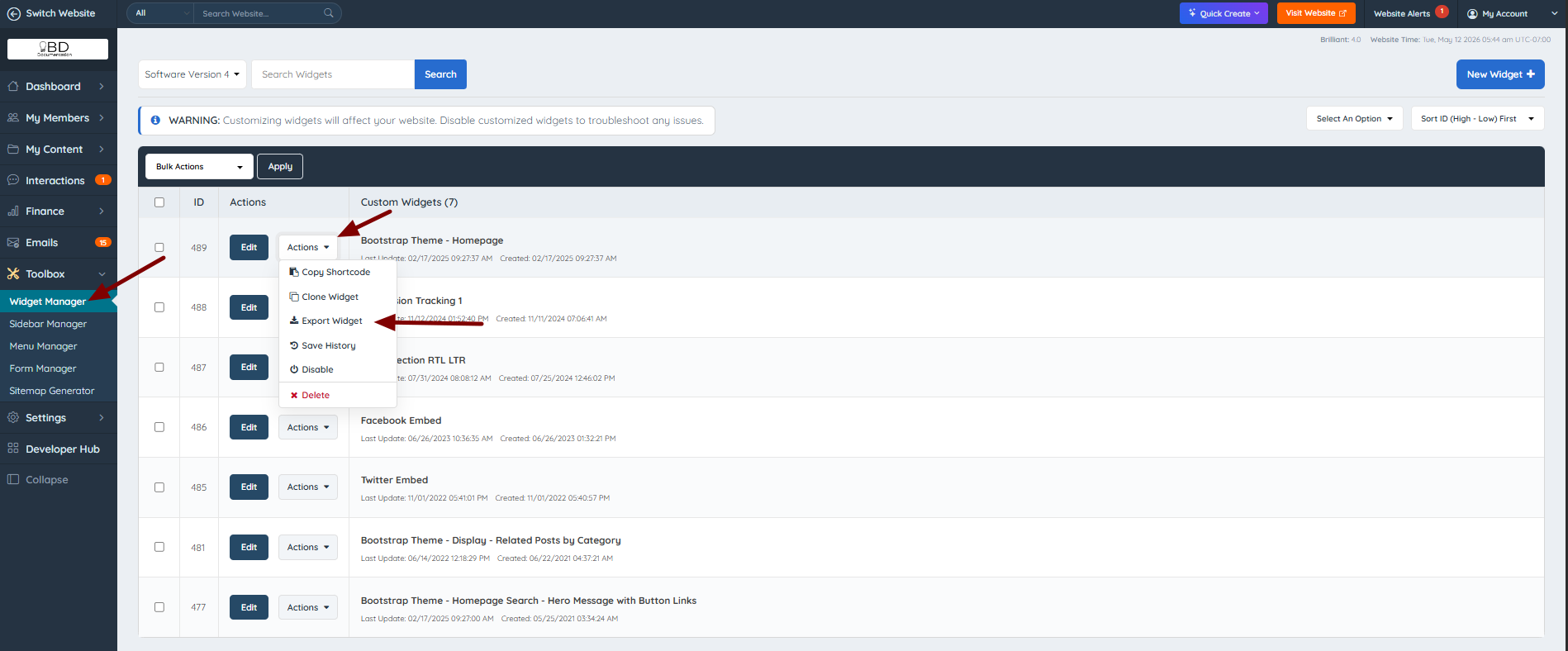
To export a widget, navigate to Toolbox >> Widget Manager and click on Export under the Actions dropdown:
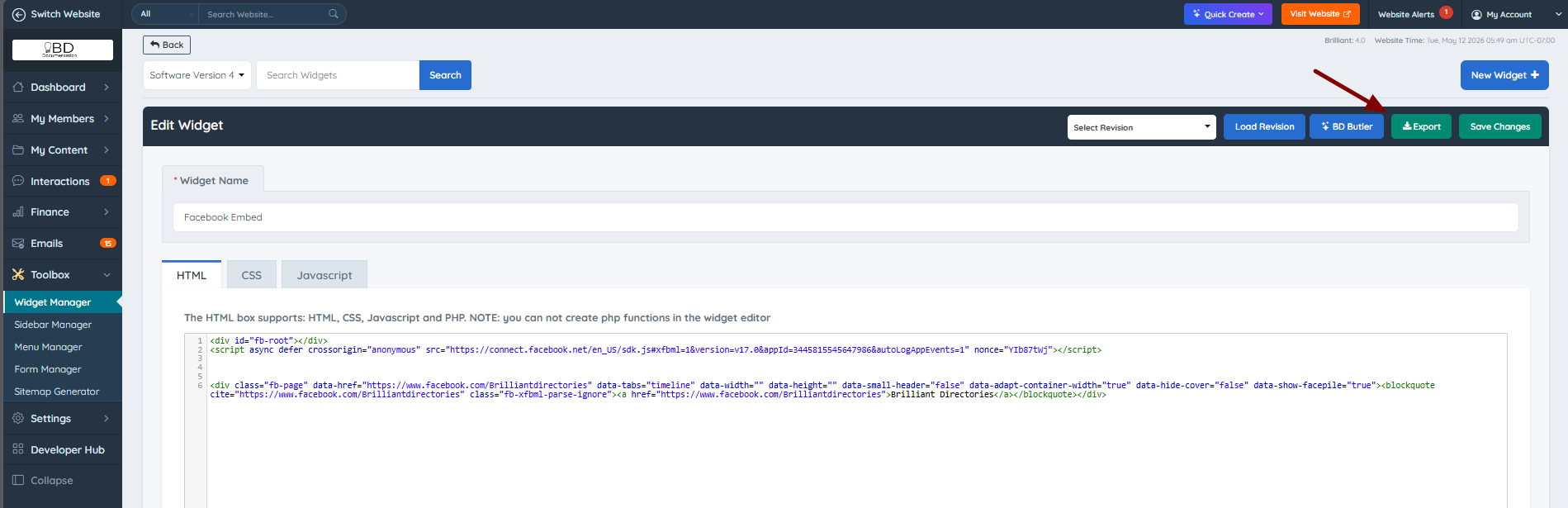
The export button can be also found within the widget's details:
Once clicked, the widget code will be exported in the following format:
<!-- ------------------ HTML --------------------- -->
{html}

<!-- ------------------ CSS ---------------------- -->
<style> {css} </style>

<!-- ------------------ JS ----------------------- -->
<script> {js} </script>
The exported code is divided into three clearly labeled sections:
- HTML — the structure and content of the widget
- CSS — the styles applied to the widget, wrapped in a
<style>tag - JS — the JavaScript logic of the widget, wrapped in a
<script>tag
Each section can be used independently depending on what part of the widget code is needed.
