
The Quick Create Wizard allows admins to create new members, newsletters, invoices, posts, web pages and coupon codes directly from the admin header, on any admin page.
The blue Quick Create button sits in the top right of the admin header, to the left of Visit Website.

Clicking Quick Create opens a menu of the available options. Each option opens its own step-by-step wizard. Only the options the admin's role has permission to use are shown.
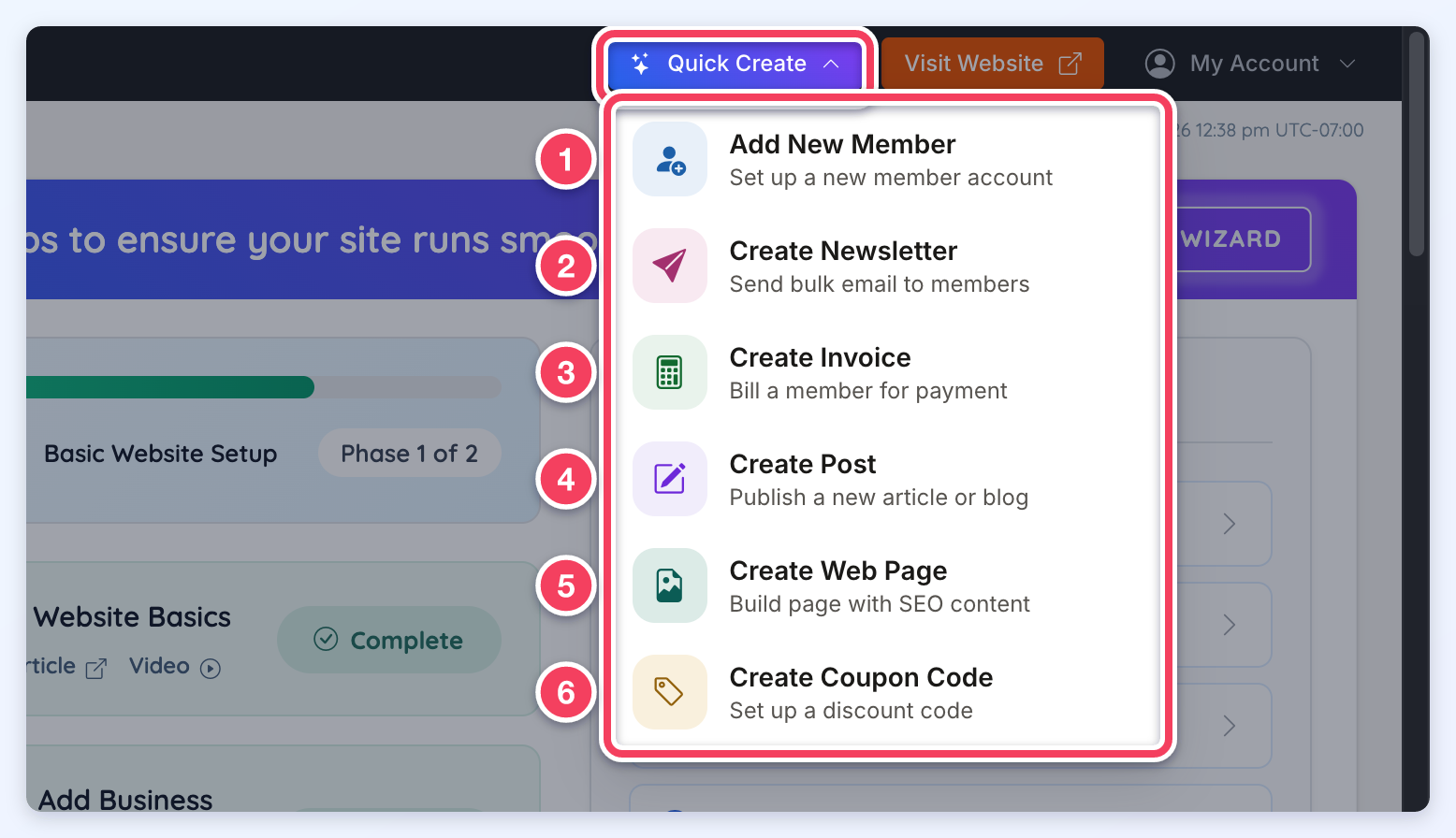
The numbers in the screenshot match the list below. Each link has the full walkthrough for that option:
- Add New Member: set up a new member account.
- Create Newsletter: send bulk email to members.
- Create Invoice: bill a member for payment.
- Create Post: publish a new article or blog post.
- Create Web Page: build a page with SEO content.
- Create Coupon Code: set up a discount code.
