Overview
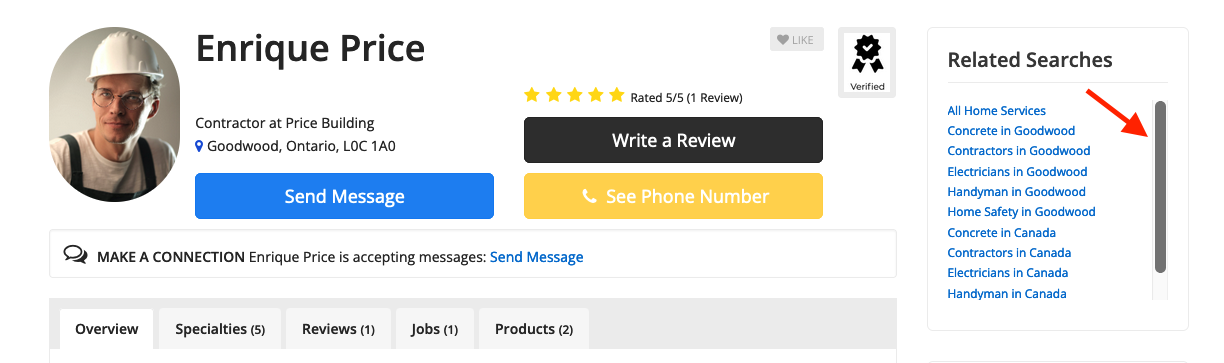
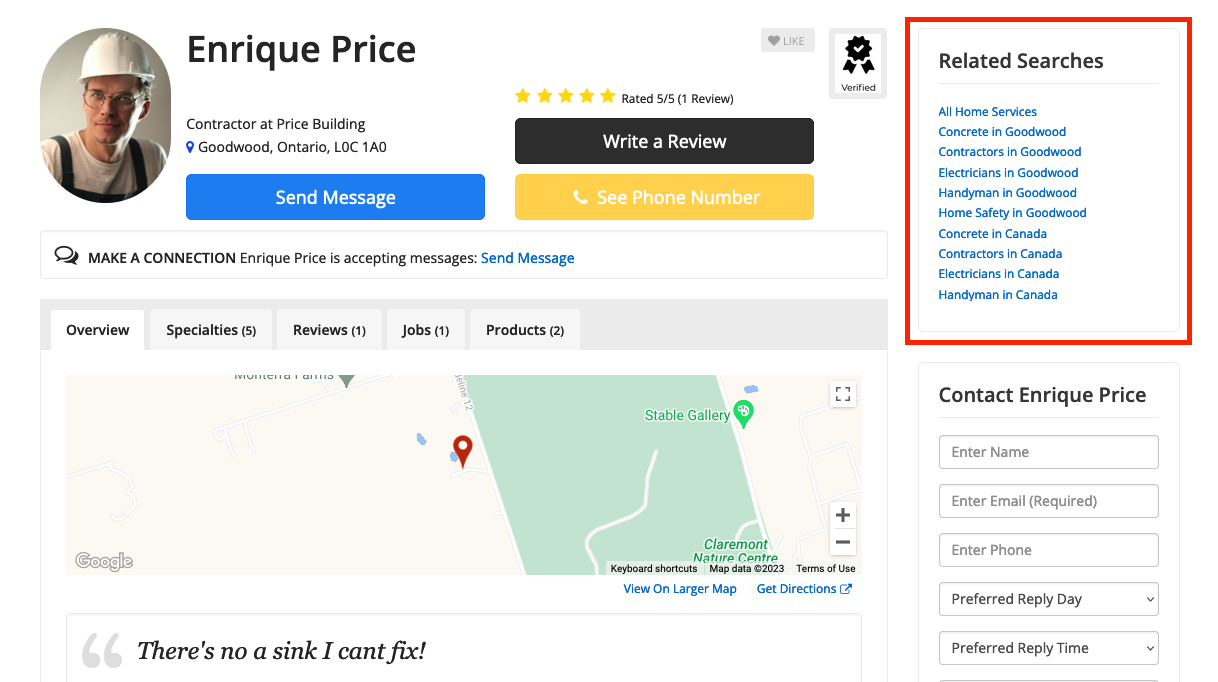
The Bootstrap Theme - Module - Member Related Searches widget displays related member results in the sidebar of Member Profile Pages. It surfaces other members who share the same category or location as the profile being viewed, giving site visitors a built-in way to discover additional listings.
⚠ REQUIRED SETUP — Geocoding Required: This widget will not function correctly unless all members have been geocoded. Members without geocoded coordinates will not appear in the widget's location-based results.
Reference: How To Geocode Members — Sync Members with Google Maps
How to Add the Widget
To add the widget to the Member Profile Page sidebar:
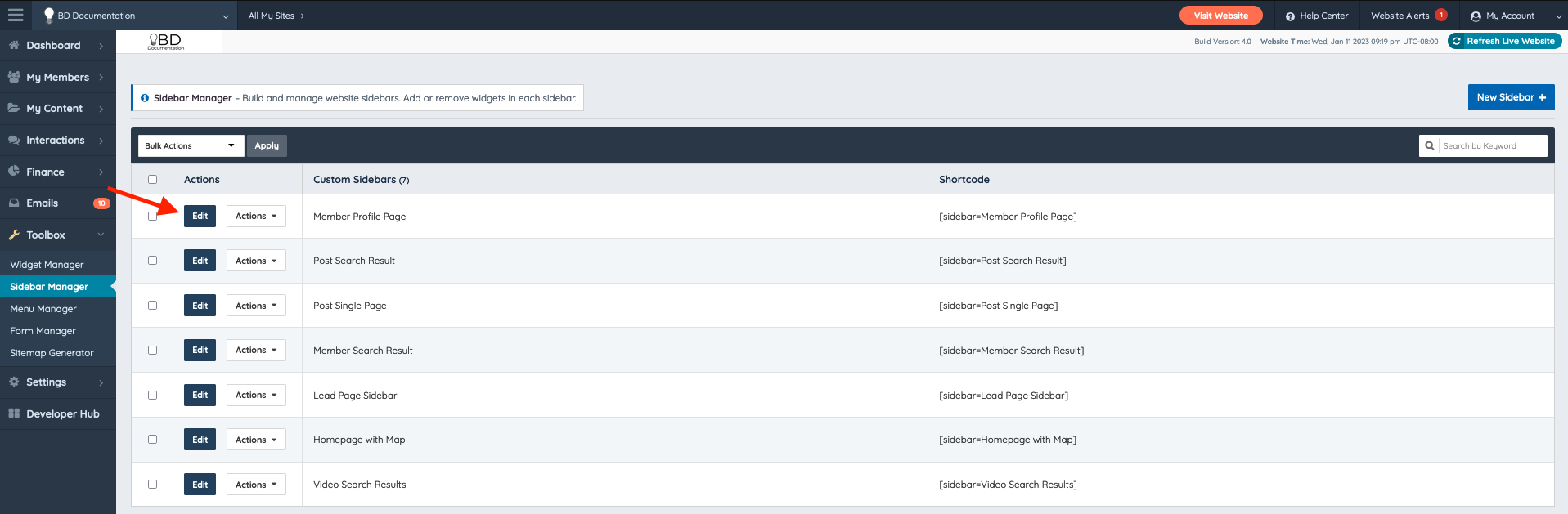
- Navigate to Toolbox » Sidebar Manager in the admin dashboard.
- Select the Member Profile Page sidebar.
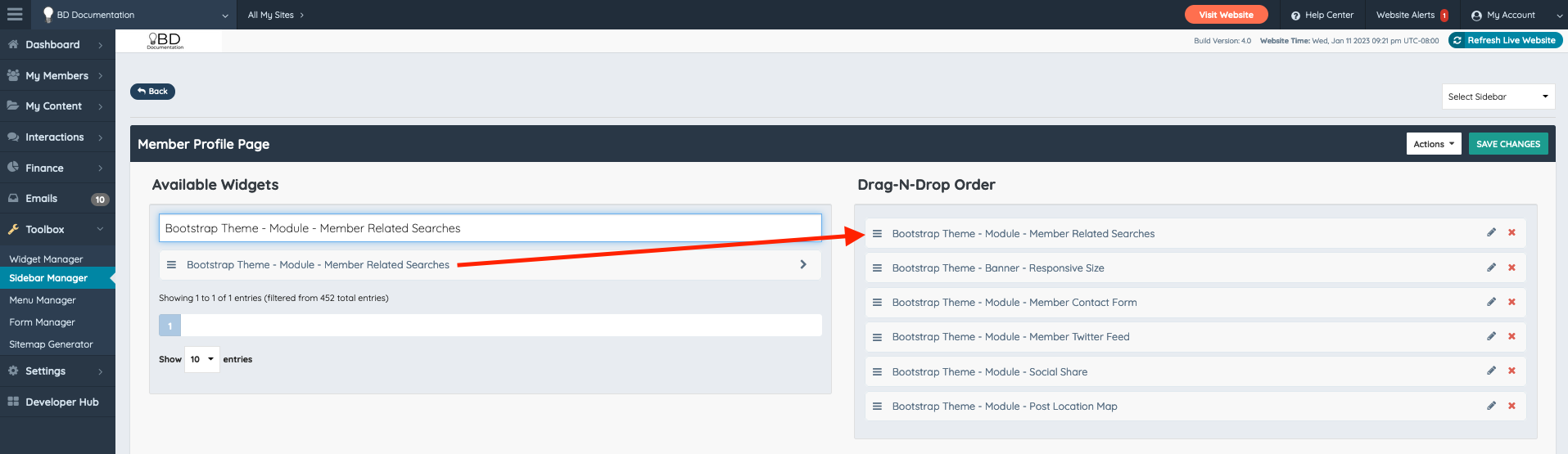
- Locate the Bootstrap Theme - Module - Member Related Searches widget in the available widgets list.
- Drag and drop the widget into the desired position in the sidebar order.
- Save the sidebar configuration.
Reference: Toolbox » Sidebar Manager
How Related Members Are Determined
The widget determines which members to display based on the following logic:
- Both the category and location of the profile being viewed are checked simultaneously.
- Members who match either the category or the location of the current profile are returned as related results.
- Links to the corresponding category and location search result pages are generated automatically alongside each result.
- All categories assigned to the member are used — there is no limit on the number of categories checked.
- A maximum of 10 related member results are displayed. Visitors can scroll within the widget to view all results.