
At the bottom of the Admin Dashboard, you'll find the Support & Help section. This area provides a variety of resources to help you learn how to use the website's features, access step-by-step guides, and find solutions to common issues.
The Support & Help section also includes an Install New Updates area, where you can check for available website updates and install them to keep your site up to date with the latest features, improvements, and security enhancements.
Install New Updates
After selecting Check for Updates, the available updates, if any, will be displayed as shown below:
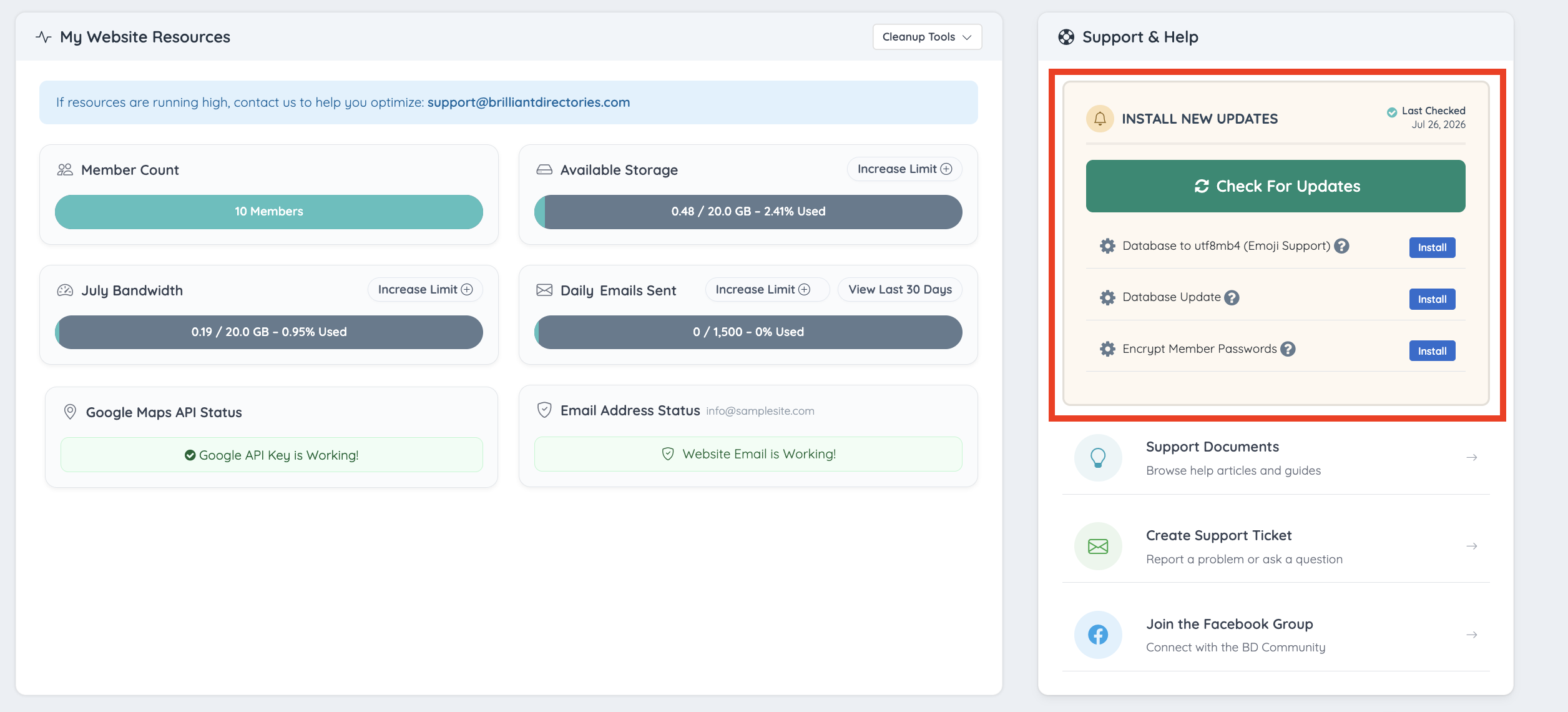
Selecting the ? (Help) icon opens an article that explains the purpose of the update, why it is required, how to run it, and what to expect after the update has been successfully installed.
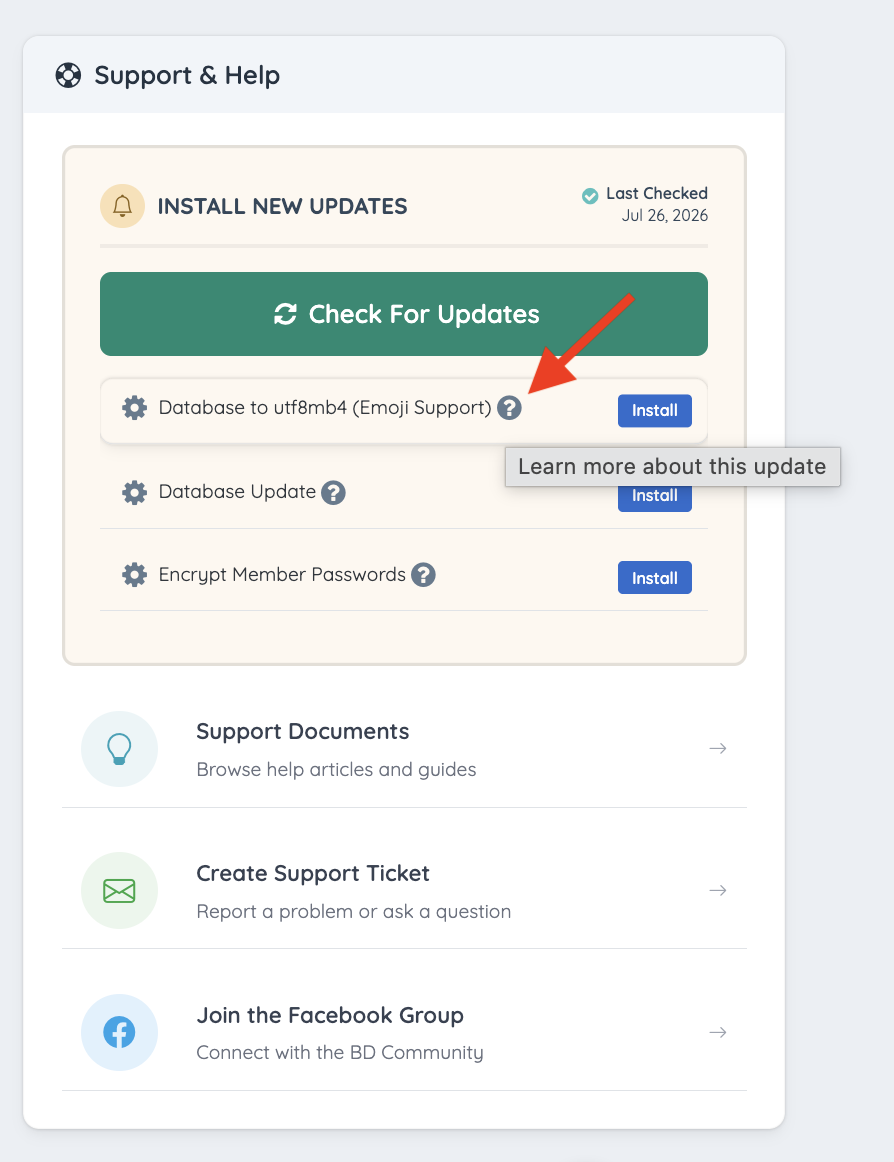
A complete collection of articles for all available updates can also be found here: Install New Updates
The next section provides access to the complete documentation library, the option to create a support ticket, and a link to join the Facebook community group.
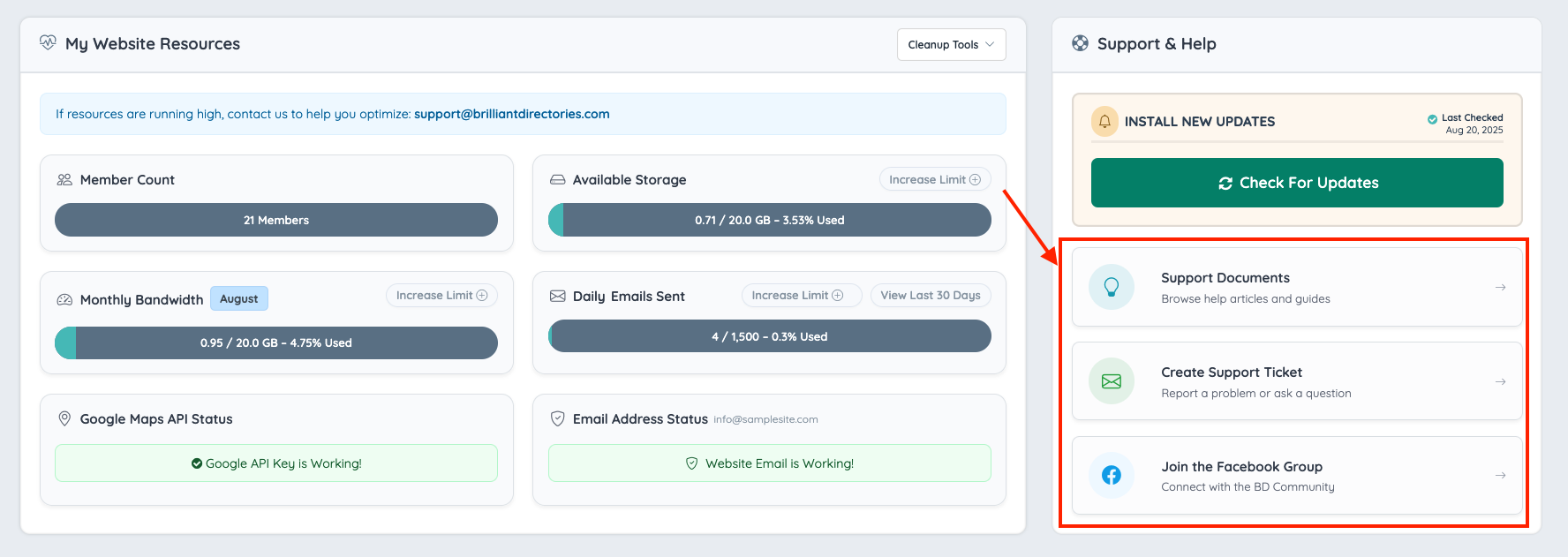
Support Documents
Search the Brilliant Directories knowledge base to quickly find answers about the different sections in our platform and how to use them.
Submit a Ticket
For assistance troubleshooting an issue, or any inquiries, submit a ticket to our support center.
Facebook Group
Get our latest updates, improve skills, and connect with other BD users.
