
The following guide explains how to set up fixed one-time fees or a combined structure featuring an initial service fee paired with recurring subscriptions. This is ideal for platforms looking to implement lifetime access plans.
If this is the case, follow these simple steps to set it up correctly:
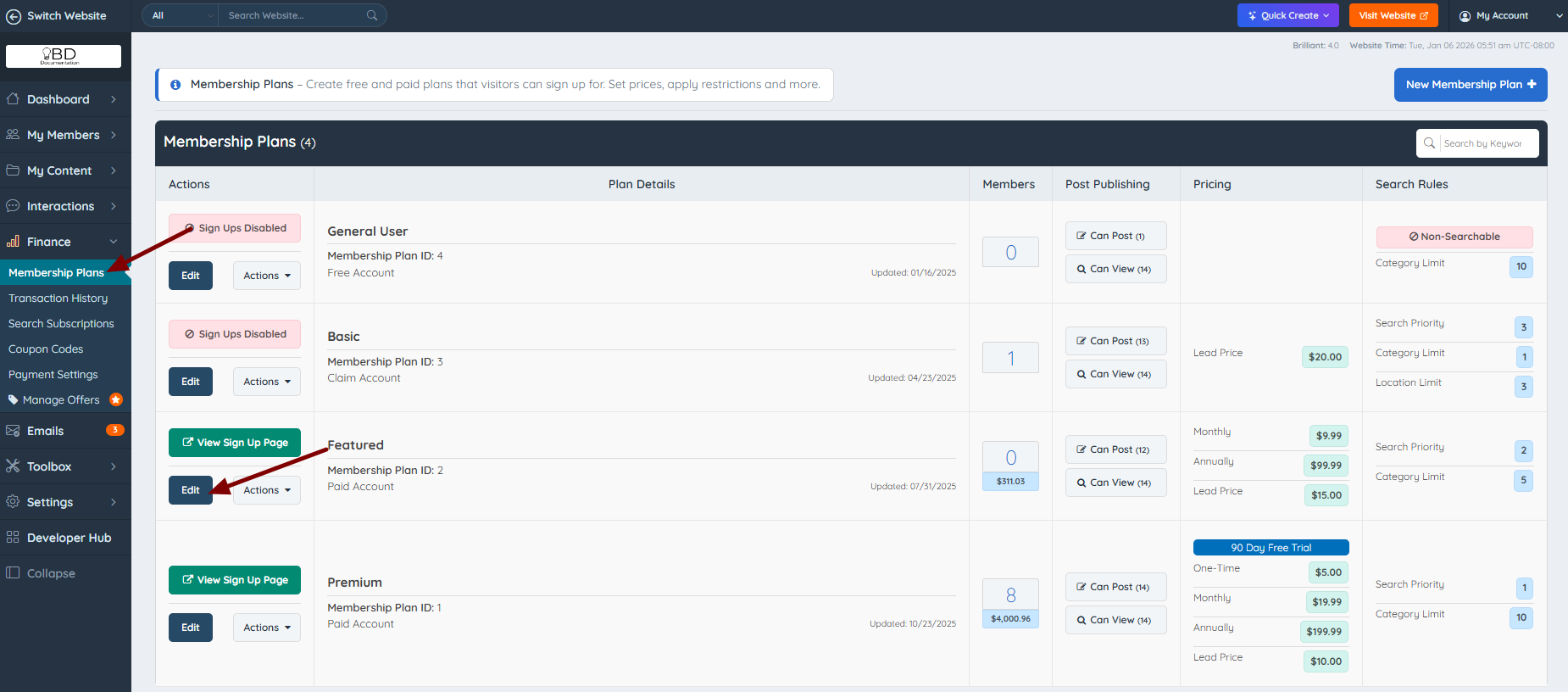
1. Go to Finance » Membership Plans and click Edit:
2. If need to set up a one-time fee only, go to the "Sign Ups & Upgrades" tab.
Scroll down and add the price in the "One-time setup fee" option.
Leave blank the monthly, semi-yearly and yearly or type a "0".

3. Make sure the "Account type" says "Paid".
About the "Preferred Payment Term" option, it doesn't matter what is chosen, it won't affect the one-time payment.

4. Then scroll down and in the "Sign Up Settings" section, make sure to select "Sign Up Email Sent" --> "Welcome-paid-member":

5. When everything has been set up, make a test by creating a new member.
To do this, scroll up and click on the "Sign Up Page" button:

Now, in the "Select a Payment Option" should be the amount added to the membership plan settings as a one-time payment:

NOTES:
If need to create a one-time fee + a recurring payment, add a price to the "One-time Setup Fee" and to the monthly, yearly, semi-yearly, and quarterly options.

To learn how to set up recurring payments, check this article: Setting up Recurring Payments
To create Free Membership Plans read this documentation: Setting up Free Membership Plans
To edit the amounts displayed on the /join page, read these articles:
