
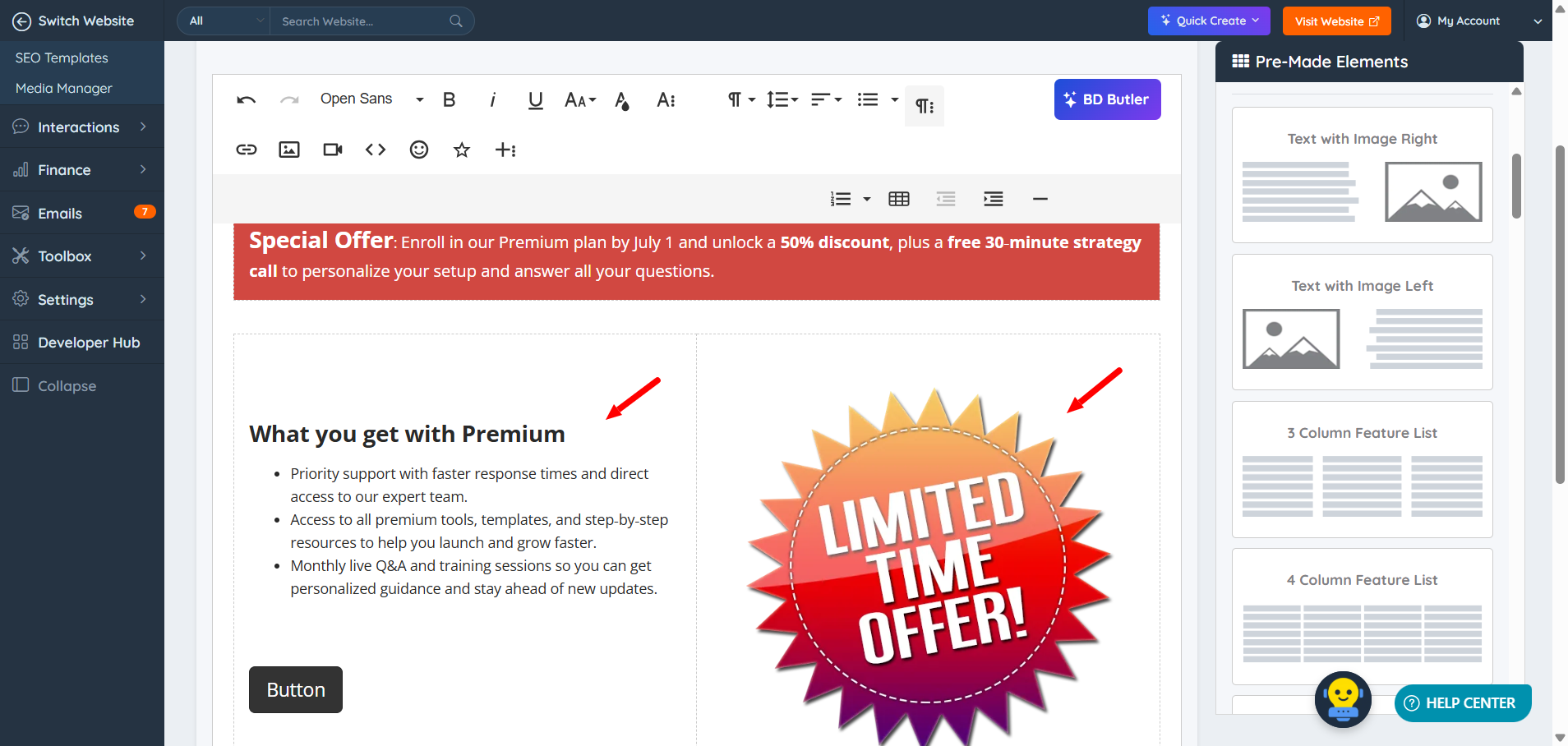
Follow the instructions below to learn how to create a landing page that looks like this:
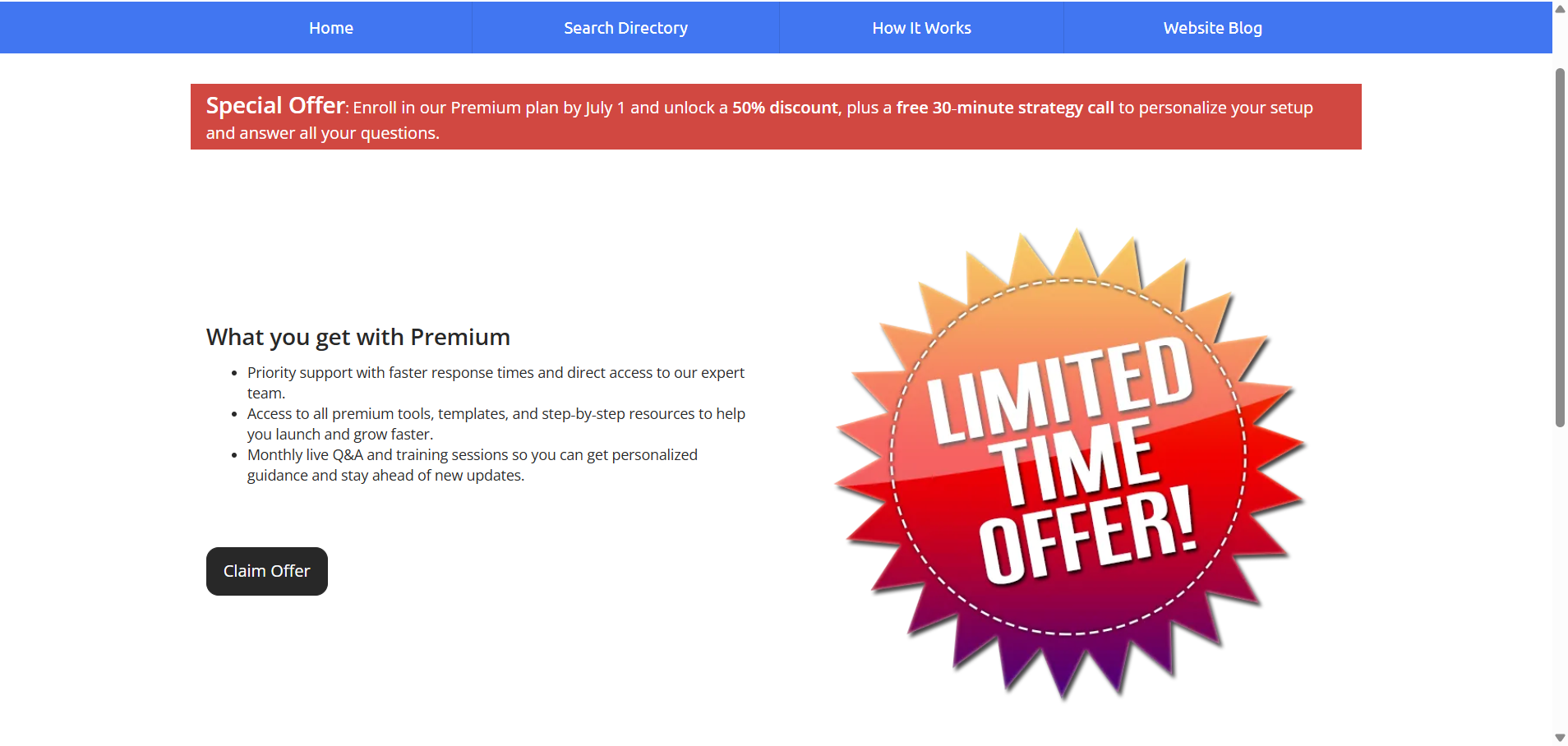
1. Create a new static page. Click on this article for more information >> How to Create a New Static Page
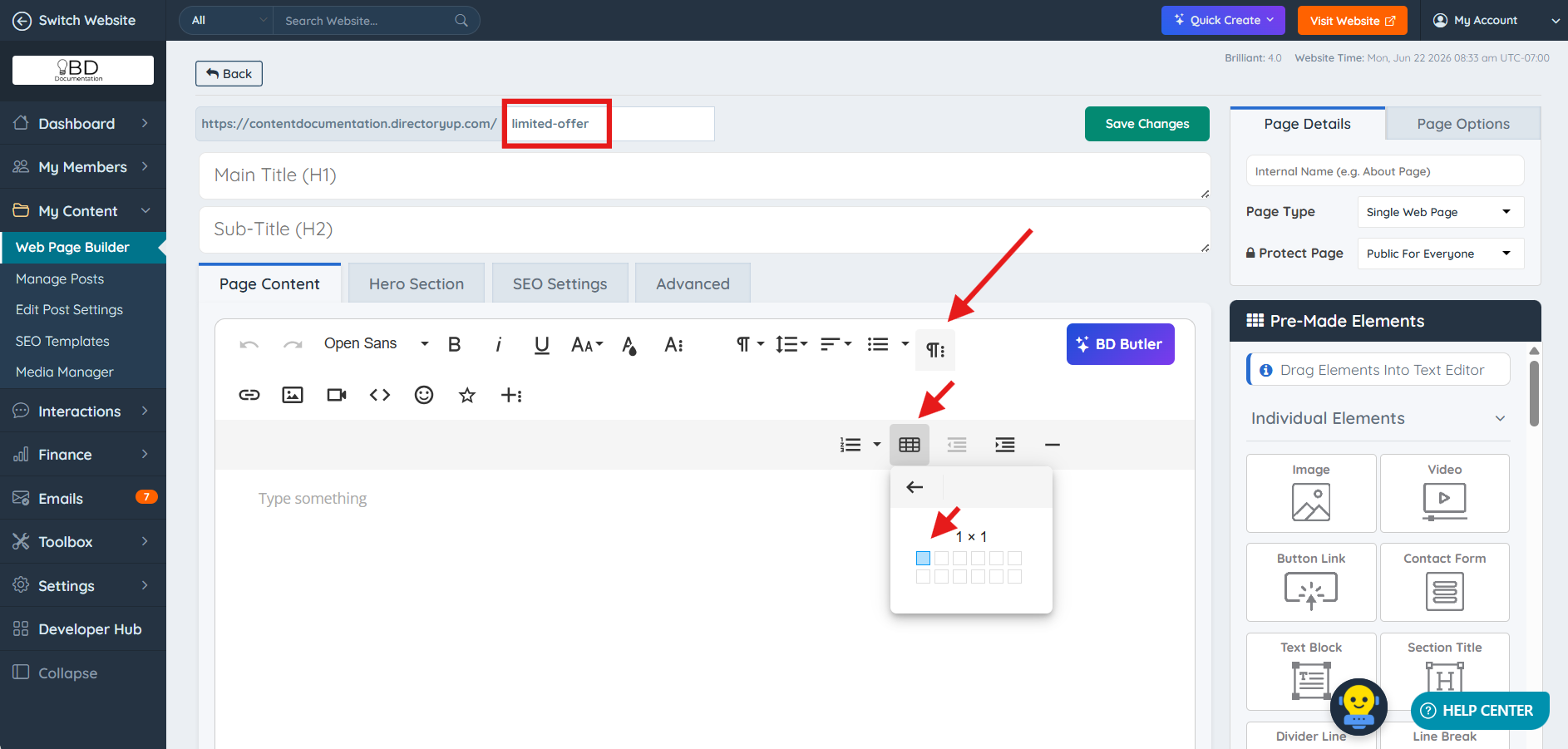
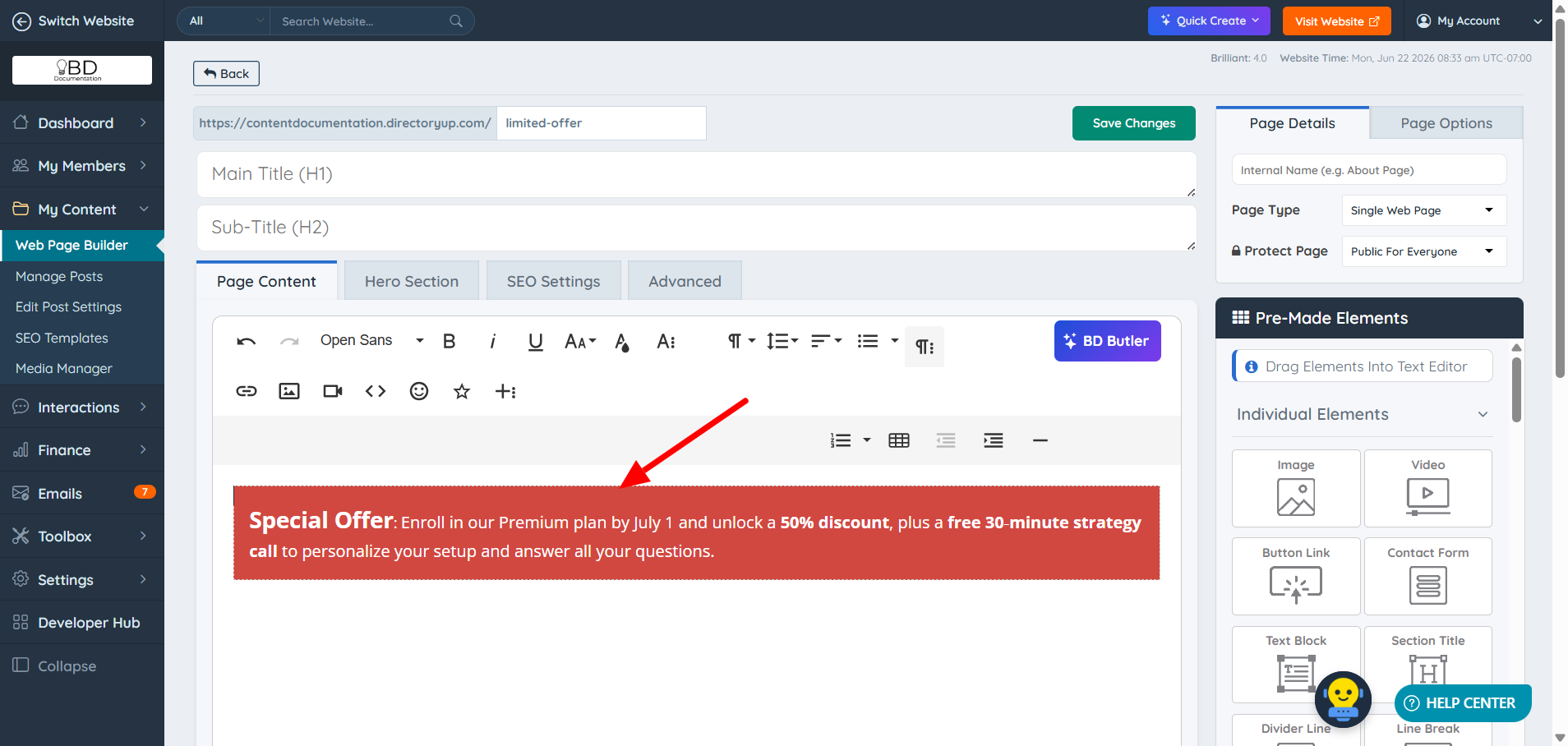
2. Add a single row using the table option in the Froala Editor. Add background color and text as desired. In this example, we have used different font sizes of 22 and 16, respectively; also some words are bold:
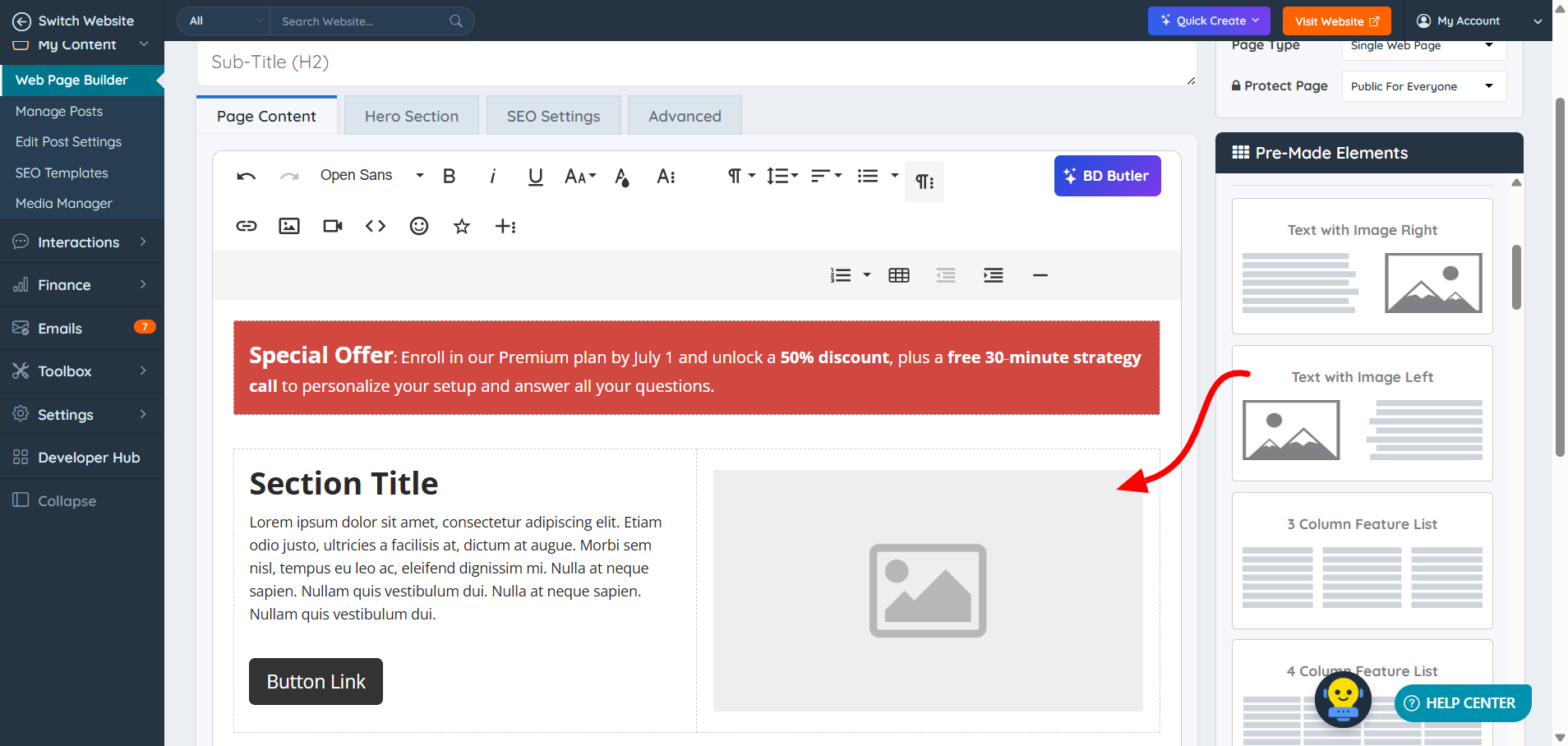
3. Drag and drop the pre-made element "Text with Image Left" into the static page:
4. Add the image and text as needed:
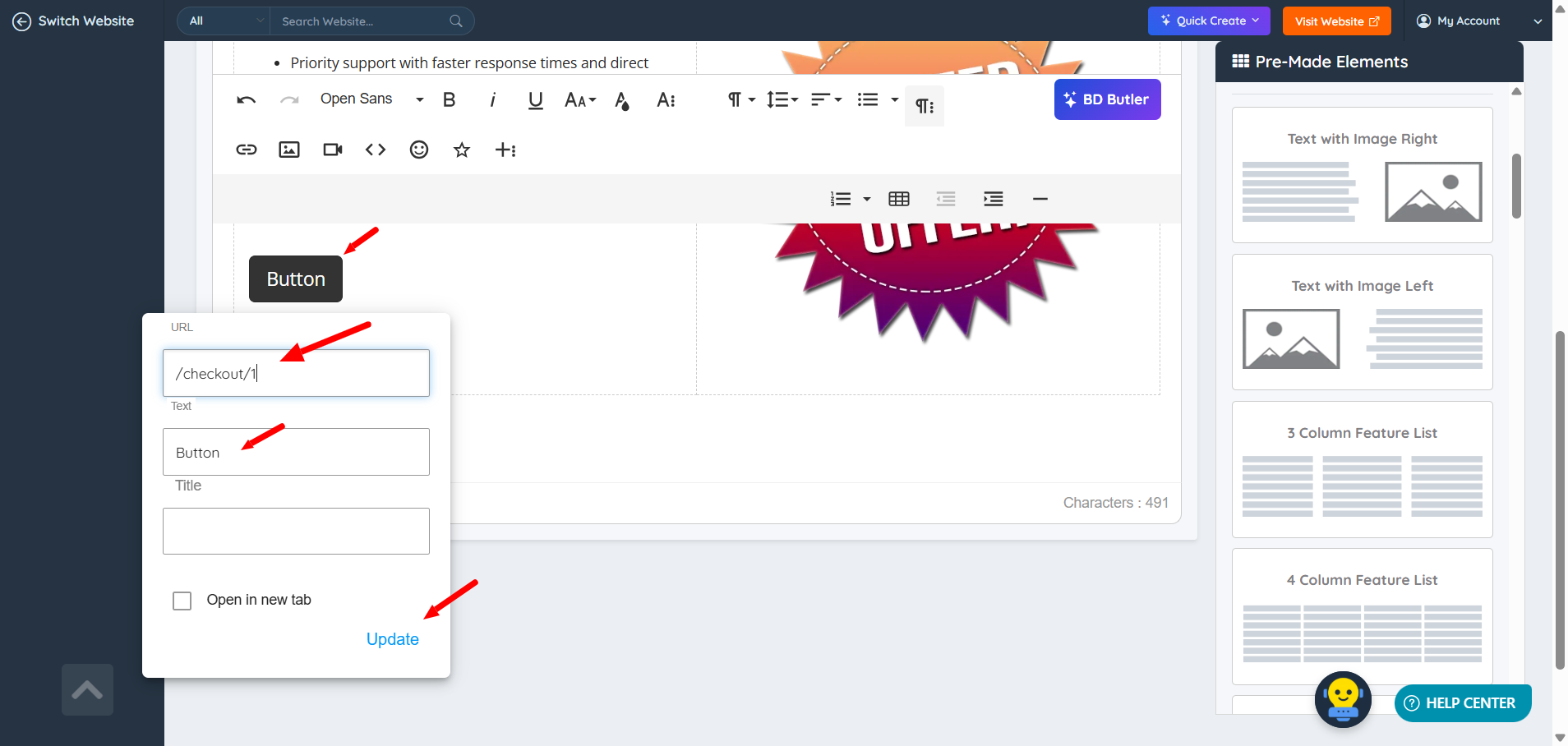
5. Edit the button text and link:
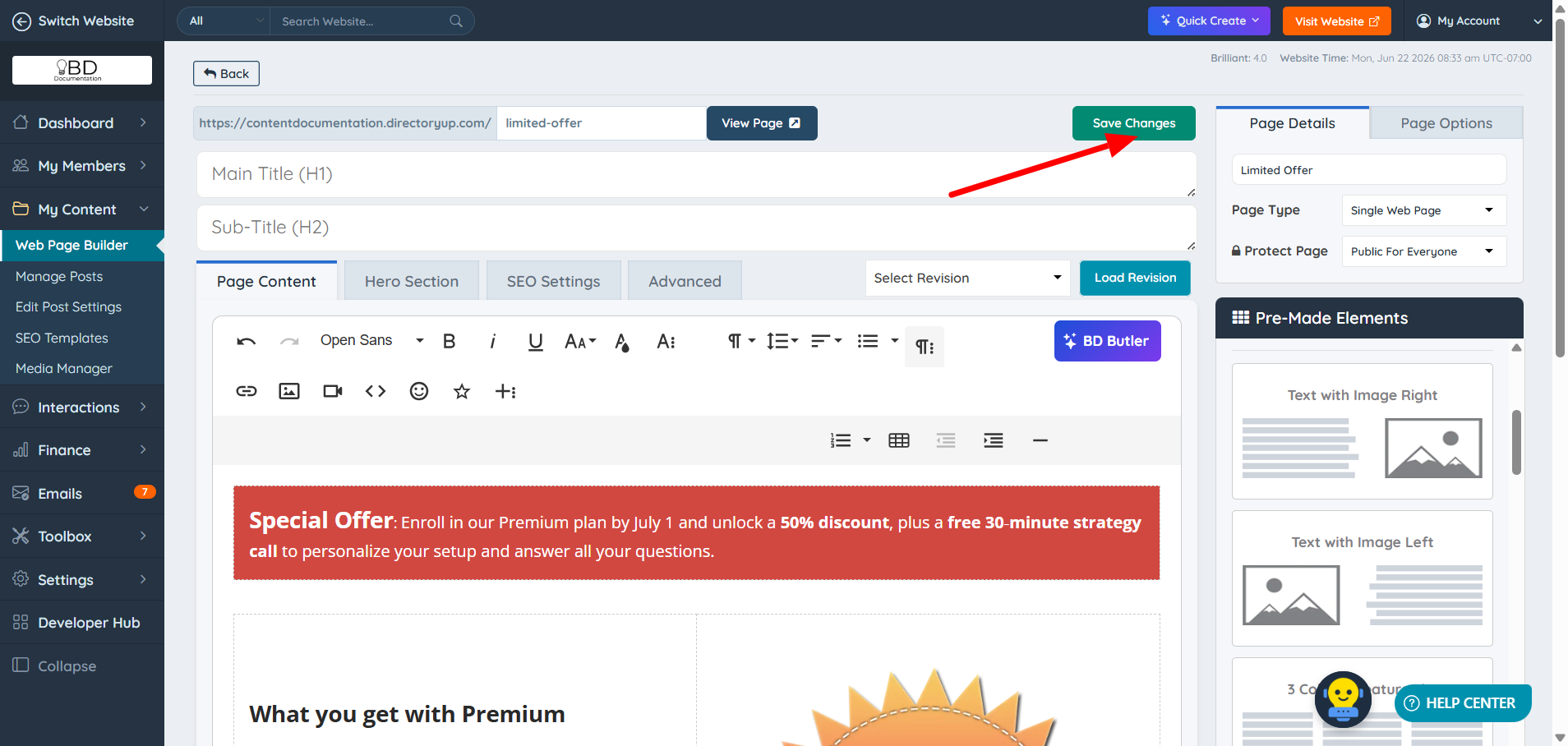
6. Save the changes:
You can also create this page using our integrated AI solutions. See:
1. BD Butler
2. Quick Create Wizard - Create Web Page

