
Specific Post Types, such as Properties, include price sliders in their search widgets to allow for the selection of value ranges. By default, the price slider for Properties features a minimum value of $0 and a maximum value of $5,000,000, as demonstrated below:

Users may click these values and slide them horizontally to adjust the search range.
For example, the following image displays a search for a more specific range of values:

Updating Minimum and Maximum Slider Values
To modify the default minimum and maximum values for a price slider.
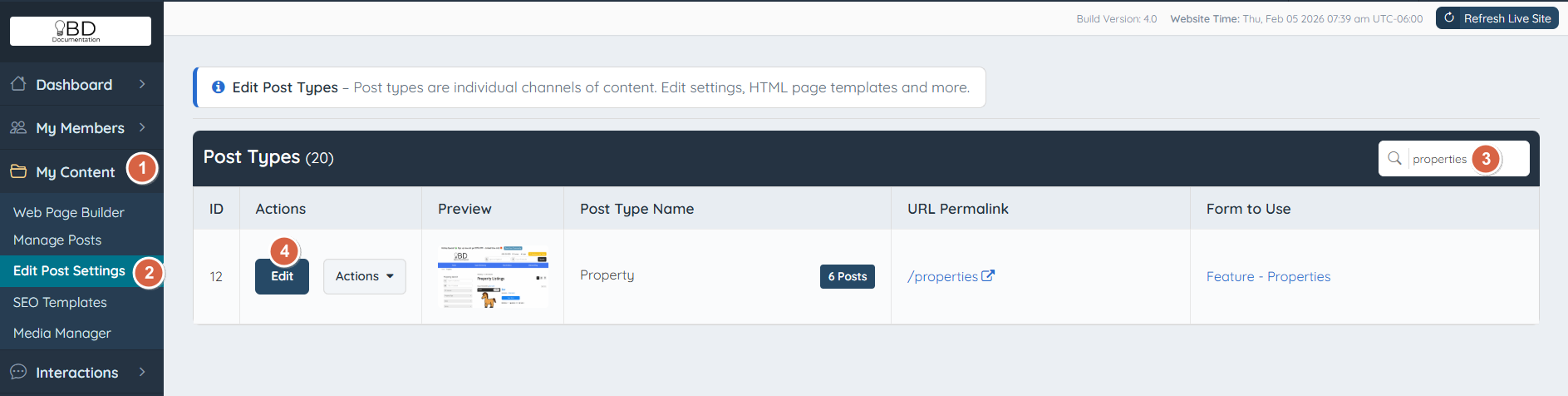
Navigate to Post Settings
- Log in to the Admin area of the website and navigate to My Content.
- Click on Edit Post Settings.
- Use the Post Type search tool to locate the specific Post Type or scroll down to the desired entry.
- Click the Edit button.
Adjust Slider Configuration
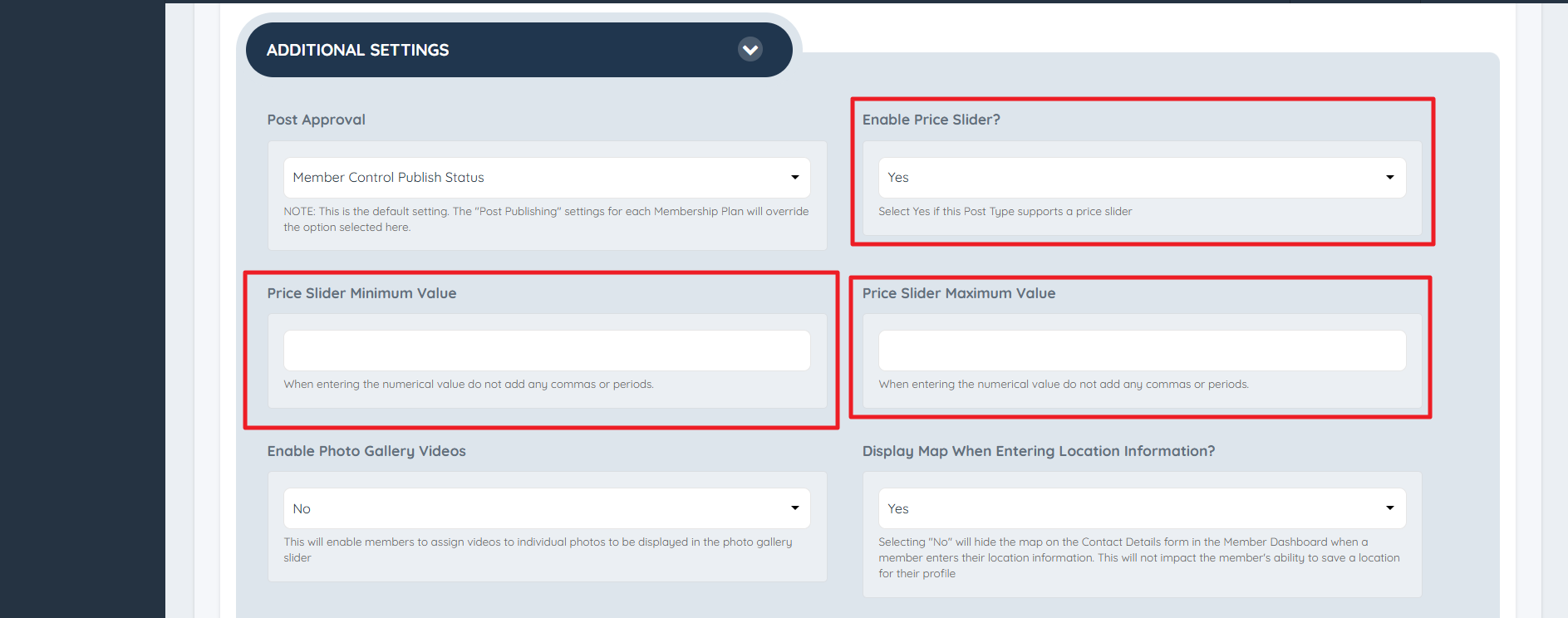
Within the General Settings tab, scroll down to Additional Settings to locate the Price Slider fields.
Enable Price Slider?
Select "Yes" to activate a price slider for this Post Type, or "No" to disable it.
Price Slider Minimum Value
Enter the starting value for the price slider. Use numerical characters only; do not include commas or periods.
Price Slider Maximum Value
Enter the ending value for the price slider. Use numerical characters only; do not include commas or periods.
Adjust the values to the desired range, then click Save Changes.
Reviewing the Changes
The search widget for the modified Post Type will now reflect the updated minimum and maximum values:
