
Our team is always happy to help. All support is handled through email/tickets and our documentation center, we strongly encourage all site owners to read up and learn as much as they can as this makes the daily management of the site easiest.
Feel free to email our support team for help with the BD website: support@brilliantdirectories.com
Submit a Ticket
The ticket can be submitted from the admin by opening the My Account menu at the top right and clicking Create New Ticket.
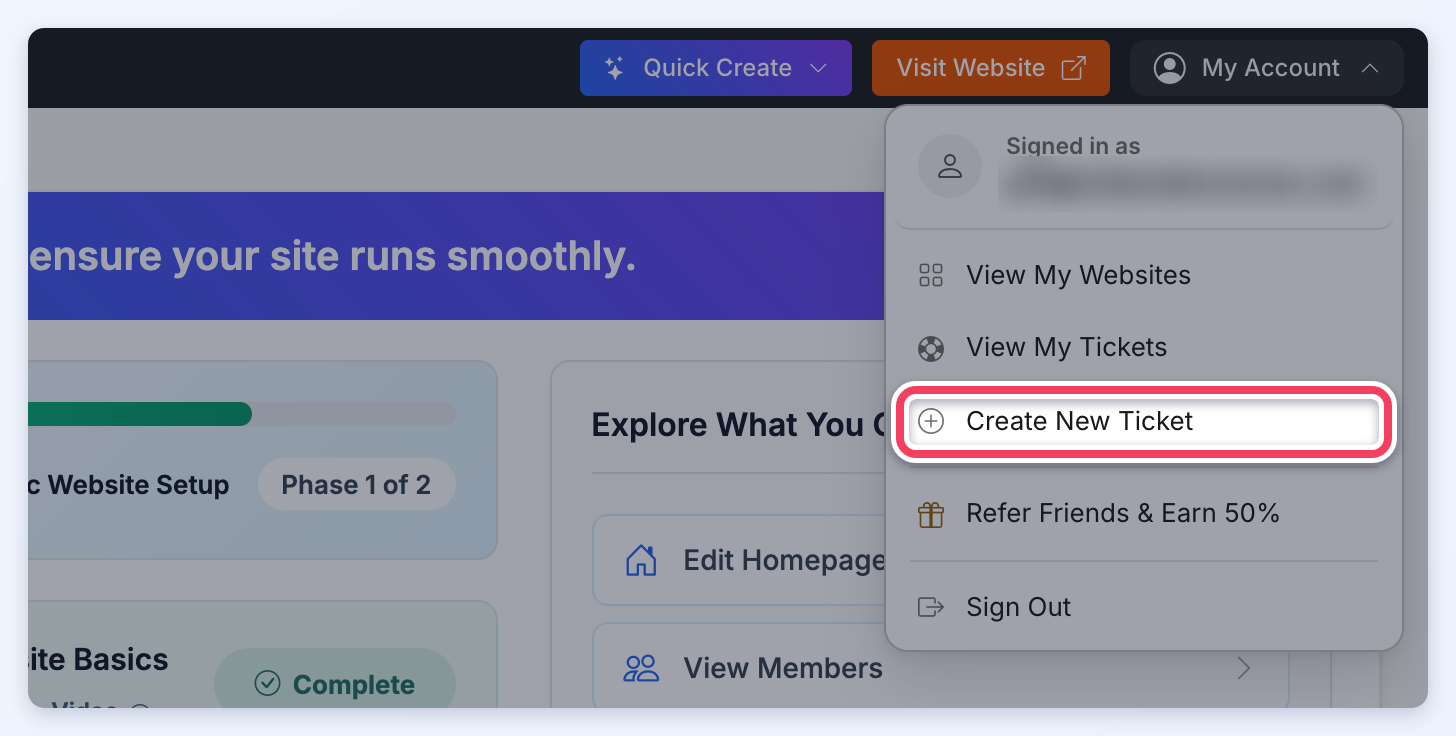
Create New Ticket Form
This will open up the "Create New Ticket" form.
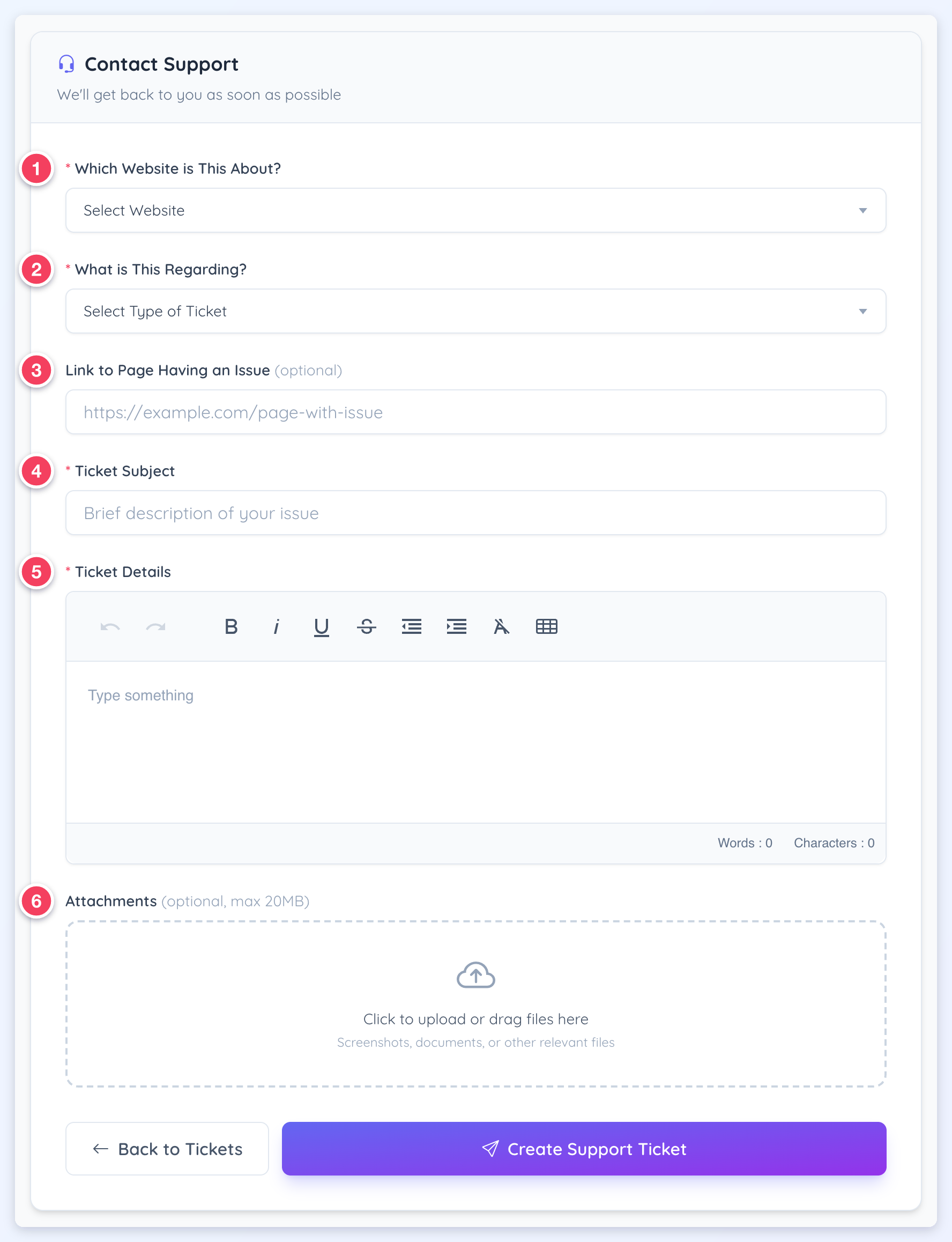
Support Ticket Form Fields
Use this form to submit a support request by selecting the website and ticket type, then adding a clear subject, detailed explanation, and optional link/attachments for context.
1. Which Website is This About?
Selects the specific website the support request relates to, so the ticket is routed and reviewed in the correct account context.
2. What is This Regarding?
Selects the ticket category/type to help classify the request and ensure handling by the right team.
3. Link to Page Having an Issue (optional)
Adds a direct URL to the page where the issue occurs, making it easier to review and reproduce the problem.
4. Ticket Subject
A short, clear summary of the request (used as the ticket’s title in the ticket list).
5. Ticket Details
The full description of the request, including context, steps taken, what’s expected, and what’s currently happening.
6. Attachments (optional, max 20MB)
Uploads supporting files (screenshots, documents, or other relevant files) to help demonstrate the issue or provide examples. Images, PDFs, office documents, text files, archives, and video or audio files can be attached.
For security reasons, executable and script file types (such as .php, .exe, .html, .svg and .js) cannot be attached. When one of these files is selected, it is left off the ticket and a red message appears below the upload area: This file type is not allowed for security reasons, so it was not attached: followed by the file name. Any other files selected at the same time still attach.
